
Spring AI : Chat with LLMs
Calling an LLM is just an HTTP request. The trouble is that every provider has its own API, configuration, and response format.
Spring AI handles that provider-specific plumbing and gives us a familiar Spring API. In this article,
we will use ChatClient to talk to OpenAI’s GPT-5 model and then make our prompts reusable with
PromptTemplate.
Sample Code Repository
You can find the sample code for this article in the GitHub repository
Configure OpenAI
First, create an API key from the OpenAI Platform and expose it as an environment variable:
export OPENAI_API_KEY=your-api-key
Do not commit the key to Git. Also note that ChatGPT subscriptions and OpenAI API billing are separate.
Add the Spring Web, Validation, and OpenAI model starter to the Spring Boot application:
<?xml version="1.0" encoding="UTF-8"?>
<project xmlns="http://maven.apache.org/POM/4.0.0"
         xmlns:xsi="http://www.w3.org/2001/XMLSchema-instance"
         xsi:schemaLocation="http://maven.apache.org/POM/4.0.0
	https://maven.apache.org/xsd/maven-4.0.0.xsd">
    <modelVersion>4.0.0</modelVersion>
    <parent>
        <groupId>org.springframework.boot</groupId>
        <artifactId>spring-boot-starter-parent</artifactId>
        <version>4.1.0</version>
        <relativePath/>
    </parent>
    <groupId>com.sivalabs</groupId>
    <artifactId>01-chat-openai</artifactId>
    <version>0.0.1-SNAPSHOT</version>
    <name>01-chat-openai</name>

    <properties>
        <java.version>25</java.version>
        <spring-ai.version>2.0.0</spring-ai.version>
    </properties>

    <dependencyManagement>
        <dependencies>
            <dependency>
                <groupId>org.springframework.ai</groupId>
                <artifactId>spring-ai-bom</artifactId>
                <version>${spring-ai.version}</version>
                <type>pom</type>
                <scope>import</scope>
            </dependency>
        </dependencies>
    </dependencyManagement>

    <dependencies>
        <dependency>
            <groupId>org.springframework.ai</groupId>
            <artifactId>spring-ai-starter-webmvc</artifactId>
        </dependency>
        <dependency>
            <groupId>org.springframework.ai</groupId>
            <artifactId>spring-ai-starter-validation</artifactId>
        </dependency>
        <dependency>
            <groupId>org.springframework.ai</groupId>
            <artifactId>spring-ai-starter-model-openai</artifactId>
        </dependency>
    </dependencies>
    <!-- other configuration -->
</project>
Configure the API key and model in application.properties:
spring.ai.openai.api-key=${OPENAI_API_KEY}
spring.ai.openai.chat.model=gpt-5
Spring Boot now autoconfigures the OpenAI chat model and provides a ChatClient.Builder bean.
Create a ChatClient
Inject the builder and create a ChatClient:
@RestController
class ChatController {
    private final ChatClient chatClient;

    ChatController(ChatClient.Builder builder) {
        this.chatClient = builder.build();
    }

}
We will reuse this client for all our chat requests.
Send your first prompt
Let’s start with the smallest example: accept a question, send it to GPT-5, and return its answer.
@PostMapping("/ai/chat")
Answer chat(@RequestBody @Valid Question question) {
    log.info("Prompt: {}", question.question());

    String response = chatClient
            .prompt(question.question())
            .call()
            .content();

    log.info("LLM Response: {}", response);
    return new Answer(response);
}

record Question(@NotBlank String question) {}

record Answer(String answer) {}
The API reads almost like a sentence:
prompt(question)supplies the user input.call()sends a request to the model.content()extracts the generated text.
Try the endpoint:
curl --request POST http://localhost:8080/ai/chat \
  --header 'Content-Type: application/json' \
  --data '{"question":"Explain dependency injection in one paragraph"}'
Add system and user messages
The previous example sends only the user’s question. Usually, the application should also tell the model how to behave. For example, we may want it to be friendly and professional.
@PostMapping("/ai/chat2")
Answer chat2(@RequestBody @Valid Question question) {
    String response = chatClient
            .prompt()
            .system("You are a friendly, helpful assistant. You always respond professionally")
            .user(question.question())
            .call()
            .content();

    return new Answer(response);
}
The two messages serve different purposes:
- The system message defines the assistant’s role and behaviour.
- The user message contains the user’s question.
For most chat requests, this fluent style is the simplest option.
Build a Prompt explicitly
Sometimes messages are created in another service or assembled dynamically. In that case, create the
message objects and Prompt directly.
@PostMapping("/ai/chat3")
Answer chat3(@RequestBody @Valid Question question) {
    String systemPrompt = """
            You are a friendly, helpful assistant.
            You always respond professionally.
            """;

    SystemMessage systemMessage = new SystemMessage(systemPrompt);
    UserMessage userMessage = new UserMessage(question.question());

    Prompt prompt = new Prompt(List.of(systemMessage, userMessage));

    String response = chatClient
            .prompt(prompt)
            .call()
            .content();

    return new Answer(response);
}
SystemMessage and UserMessage represent messages with specific roles. Prompt groups those
messages into one model request.
This produces the same kind of request as the fluent example. Use it when you need direct access to the message objects; otherwise, the fluent API is easier to read.
Why do we need PromptTemplate?
Now suppose we want AI to suggest conference presentation titles. The instruction stays the same, but the topic and number of titles change with every request.
Instead of building that prompt with string concatenation, we can use named placeholders:
PromptTemplate promptTemplate = new PromptTemplate("""
        I would like to give a presentation about the following:

        {topic}

        Give me {count} title suggestions for this topic.

        Make sure the title is relevant to the topic and it should be a single short sentence.
        """);
Provide the placeholder values as a map and create a message:
Map<String, Object> variables = Map.of(
        "topic", req.topic(),
        "count", req.count()
);

Message message = promptTemplate.createMessage(variables);

String response = chatClient
        .prompt()
        .messages(message)
        .call()
        .content();
createMessage(variables) replaces {topic} and {count} and returns a UserMessage ready to send.
A PromptTemplate can produce different results depending on what we need:
String text = promptTemplate.render(variables);
Message message = promptTemplate.createMessage(variables);
Prompt prompt = promptTemplate.create(variables);
Use render() for text, createMessage() when adding it to other messages, and create() when the
template represents the complete prompt.
The endpoint accepts this request:
record TitleSuggestionsRequest(
        @NotBlank String topic,
        @NotNull Integer count
) {}
curl --request POST http://localhost:8080/ai/suggest-titles \
  --header 'Content-Type: application/json' \
  --data '{"topic":"Building modular monoliths with Spring Boot","count":5}'
Use an inline PromptTemplate
For a template used in only one request, ChatClient provides a shorter option:
@PostMapping("/ai/suggest-titles2")
Answer suggestTitles2(@RequestBody @Valid TitleSuggestionsRequest req) {
    String response = chatClient
            .prompt()
            .system("You are a friendly, helpful assistant. You always respond professionally")
            .user(user -> user
                    .text("""
                            I would like to give a presentation about the following:

                            {topic}

                            Give me {count} title suggestions for this topic.

                            Make sure the title is relevant to the topic and it should be a single short sentence.
                            """)
                    .param("topic", req.topic())
                    .param("count", req.count())
            )
            .call()
            .content();

    return new Answer(response);
}
text() defines the template, while param() binds each placeholder. The instruction and its values
remain close to the model call, which makes short prompts easy to understand.
For long or shared prompts, move the text to a classpath resource and create PromptTemplate using that
Spring Resource. This keeps large prompts out of Java code.
Which approach should you use?
| Requirement | API |
|---|---|
| Send one user question | chatClient.prompt(text) |
| Add system and user instructions | prompt().system(...).user(...) |
| Assemble messages dynamically | new Prompt(messages) |
| Reuse a prompt with variables | PromptTemplate |
| Use a short template once | user(u -> u.text(...).param(...)) |
| Store a long or shared template | Resource-backed PromptTemplate |
My preference is to start with the fluent ChatClient API. Use explicit Message, Prompt, and
PromptTemplate objects only when the prompt needs to be assembled, reused, or tested separately.
With these basics in place, we can move on to structured output, chat memory, tool calling, and RAG in future articles.
Related Posts
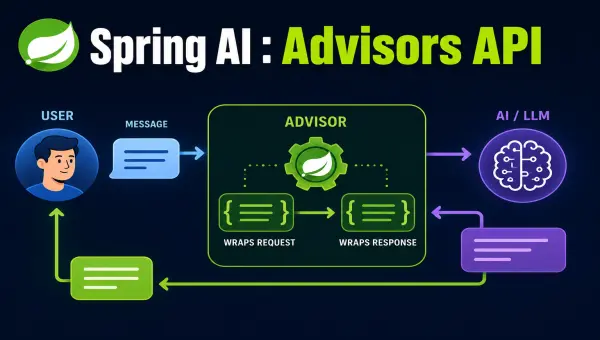
Spring AI : Advisors API
Once an AI feature moves beyond a demo, the model call is rarely the whole story. You need to log requests, restore conversation history, retrieve …
Spring AI : Chat Memory
Large language models are stateless. Send two independent requests to a model, and the second request knows nothing about the first one. That is …
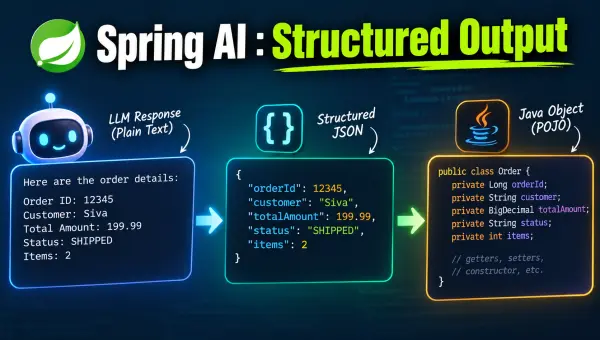
Spring AI : Structured Output
Chat models are great at producing prose, but most applications don’t want prose — they want a Java object, a List<String>, or a Map they …