PrimeFaces Beginner’s Guide book published
I am glad to announce that my second book, “PrimeFaces Beginner’s Guide,” has been published.
As many of us know, PrimeFaces is the leading JSF component library for JSF-based web applications. This “PrimeFaces Beginner’s Guide” book targets Java developers with a basic knowledge of JSF and jQuery and covers most of the commonly used PrimeFaces components.
The good news is that the “PrimeFaces Beginner’s Guide” book covers the latest PrimeFaces 4.0 version features, such as the Client-Side Validations (CSV) framework, Dialog Framework, Search Expressions, Sticky Component, and many other enhancements as well.
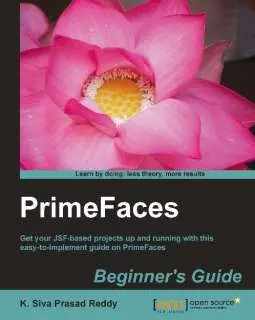
The book contains the following 13 chapters covering various PrimeFaces components:
- Chapter 1: Introduction to PrimeFaces, introduces PrimeFaces, along with details on how to install and configure it by creating a simple “Hello World” application. This chapter also provides an overview of various PrimeFaces features, such as AJAX support, Partial Page Rendering (PPR), and explains the Poll and Remote Command components, which come in very handy at times.
- Chapter 2: Introducing Sample Application TechBuzz, provides an overview of the sample application TechBuzz, which we are going to build incrementally throughout the book, and explains what PrimeFaces components will be used for various requirements. This chapter also provides an overall picture of setting up the development environment with all the required software, such as JDK, IDE, database, and so on.
- Chapter 3: Using PrimeFaces Common Utility Components, introduces various commonly used utility components provided by PrimeFaces, such as Growl, Tooltip, BlockUI, NotificationBar, and so on. This chapter also explains new features introduced in PrimeFaces 4.0, such as Fragment, Sticky, the Search Expression Framework, and the Dialog Framework.
- Chapter 4: Introducing PrimeFaces Client-Side Validation Framework, covers the PrimeFaces Client-Side Validations (CSV) Framework in detail, explaining how to configure and enable client-side validations, integrating the CSV framework with the Bean Validation API, and extending the CSV framework to support custom JSF Validators/Converters and custom Bean Validation Annotations.
- Chapter 5: Introducing Text Input Components, covers various input text components such as InputText, InputTextArea, Password, InputMask, Inplace Editor, and Rich Text Editor. This chapter also explains the AutoComplete component in detail, explaining how to use it with POJO support, multiple item selection, and so on.
- Chapter 6: Working with Selection Input Components, covers several PrimeFaces selection components, including SelectOneMenu, SelectManyMenu, SelectOneRadio, SelectManyCheckbox, PickList, MultiSelectListbox, and so on.
- Chapter 7: Introducing Advanced Input Components, explains how to work with advanced input components, such as Calendar, Rating, Spinner, and Slider. Readers will also learn about uploading and downloading files using the FileUpload and FileDownload components. This chapter also explains how to prevent spam and bots using CAPTCHA validation.
- Chapter 8: Working with Data Components, covers various data components, such as DataList, DataGrid, and explains DataTable features in depth, including pagination, sorting, filtering, row/cell editing, and so on. Readers will also learn about exporting DataTable data to Excel, PDF, and XML using the DataExporter component.
- Chapter 9: Introducing Advanced Data Visualization Components, introduces advanced data visualization components, such as Carousel, TagCloud, and Schedule. Readers will also learn about displaying data in a Tree structure using the Tree and TreeTable components.
- Chapter 10: Working with Layout Components, explains how to create simple and complex layouts using Panel, PanelGrid, AccordionPanel, TabView, and Layout components, and describes various customization options. This chapter also covers creating workflow-style forms using the Wizard component and Portal-like Layouts using the Dashboard component.
- Chapter 11: Introducing Navigation Components, explains how to create different styles of menus using various navigation components, such as Menu, SlideMenu, TieredMenu, Menubar, MegaMenu, TabMenu, and Breadcrumb.
- Chapter 12: Drawing Charts, covers how to visualize data in a graphical format using a variety of chart formats, such as Line, Bar, Pie, and Donut charts. This chapter also introduces how to render charts created by the JFreeChart API.
- Chapter 13: Using PrimeFaces Themes, introduces how to use the built-in themes provided by PrimeFaces and how to create custom themes using the online ThemeRoller tool. Readers will also learn how to dynamically change themes using the ThemeSwitcher component. This chapter also gives a brief overview of various PrimeFaces sibling projects, such as PrimeFaces Extensions, PrimeUI, PrimeFaces Mobile, and PrimeFaces Push.
The book contains loads of code examples along with a decent explanation so that the reader will get hands-on experience with most of the commonly used components.
I would like to thank Packt Publishers for giving me an opportunity to write the “PrimeFaces Beginner’s Guide” book. I would especially like to thank Joanne Fitzpatrick, Kranti Berde, and Ritika Dewani for their continuous support throughout the writing process.
I would also like to thank the reviewers Thomas Andraschko, Mauricio Fenoglio, Sudheer Jonna, and Nilesh Namdeo Mali for their great support in catching mistakes/typos and for providing a lot of ideas for improving the quality of the content. In fact, I learned a lot from the reviewers’ comments. 🙂
I would like to say a special thanks to Çağatay Çivici (I consider his name a synonym for PASSION) for providing such a great framework to the Java community.
I hope readers will enjoy reading this book. 🙂
Related content
- Packt Publishing “Java Persistence With MyBatis3” published
- Book Review : Cloud Native Spring in Action
- My Review of Vlad Mihalcea’s High-Performance Java Persistence book
- Update on SpringBoot : Learn By Example book
- My New Book SpringBoot : Learn By Example Published Today